Independent app guide · India

Find the UMoney invite code, Android download and update instructions, and help with login, USDT and INR orders.
Open UMoney inviteRegistration and app access Telegram updateswz2hg1w2
Use this code if signup asks for it.
The supplied UMoney screens show Top Up and USDT Exchange on Home, INR and USDT order tabs in Deposit, and activity records in Assets.
This guide explains where to find those controls and which details to check in the app before paying or confirming an order.
The app is shown as UMoney in the supplied files. You may also see the spelling U Money. This guide is prepared for umoney.net.in. Check the exact destination before opening an invite, download or account page.
The supplied invitation uses wz2hg1w2. If it appears prefilled, check it before continuing. Copy the exact letters and digits if the form asks you to enter it.
Follow the registration prompts on the destination you verified. For an existing account, use the sign-in option in your app.
Open the UMoney app or sign-in route you already use. If you are locked out, look for the account recovery option in the app.
The supplied Assets screen shows separate Change Password and Payment Pin entries. Change your login password through the password option.
Start from the app source you verified. Before installing an APK, check the publisher, version, permissions and any Android warning. The supplied link opens an invitation page.
In Assets, look for Version Update below Change Password. Follow the instructions shown by your app version.
Check today’s values and availability in the app before starting an order.
Match the labels shown in your app to the supplied Home, Deposit and Assets examples. Each guide explains which control or record to look for.
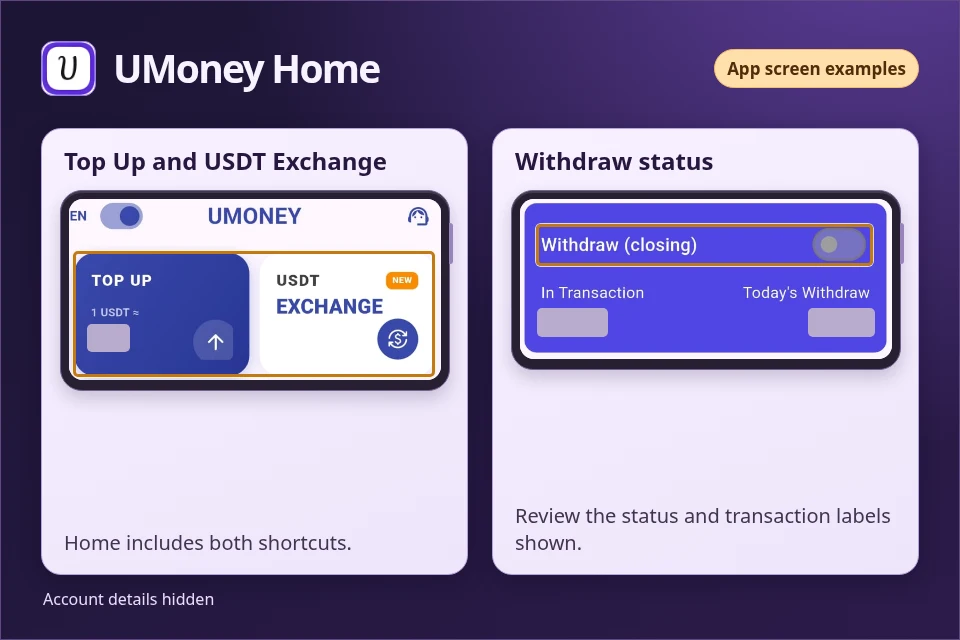
Home shows separate TOP UP and USDT EXCHANGE shortcuts. Choose the control for your task, then check the asset, amount and reference in the app.
Use the calculator for an INR estimate. Compare it with the current rate, any listed fees and the confirmation total.
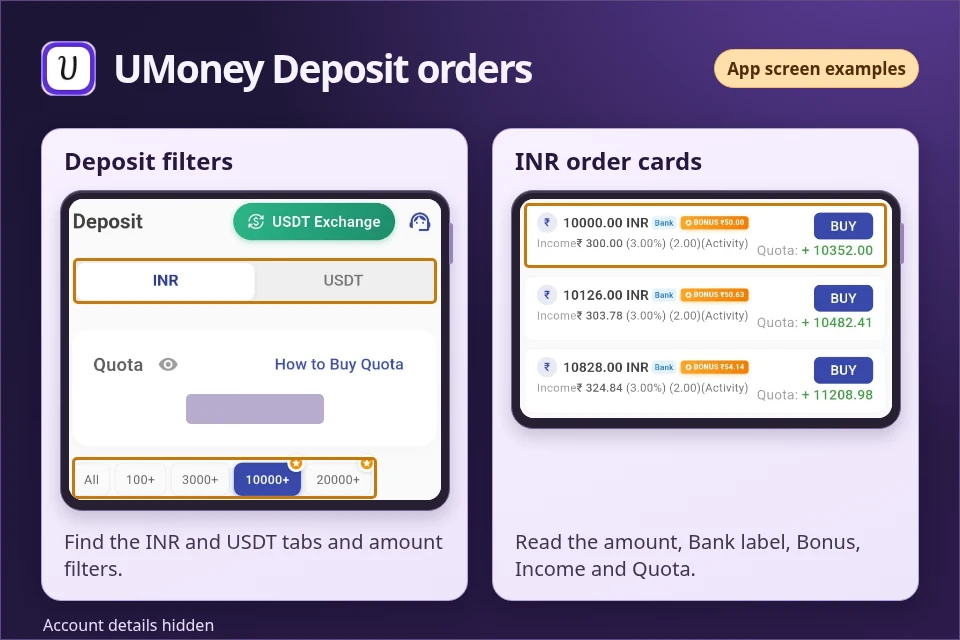
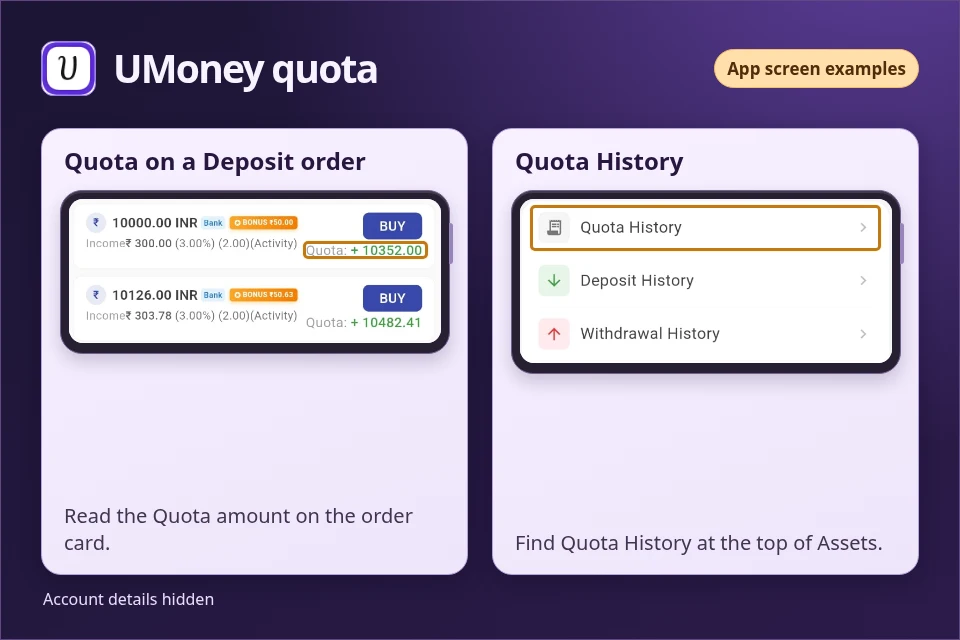
Open the INR tab in Deposit to see amount filters and order cards. An example card shows a Bank badge, a BUY button, and separate fields for Income, Bonus and Quota.
Check the amount and recipient for your chosen order. Compare the reference with your payment record before confirming.
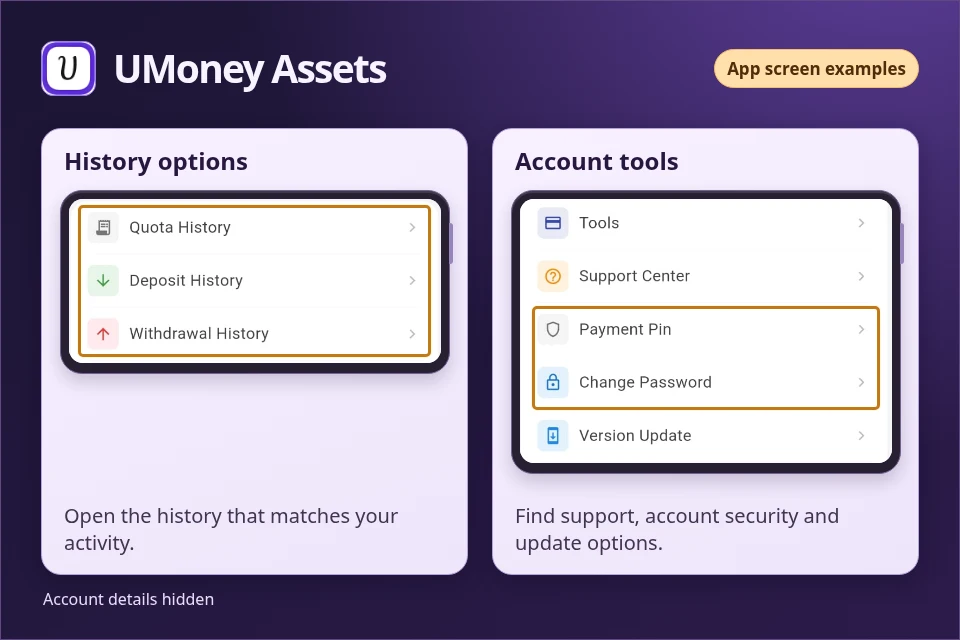
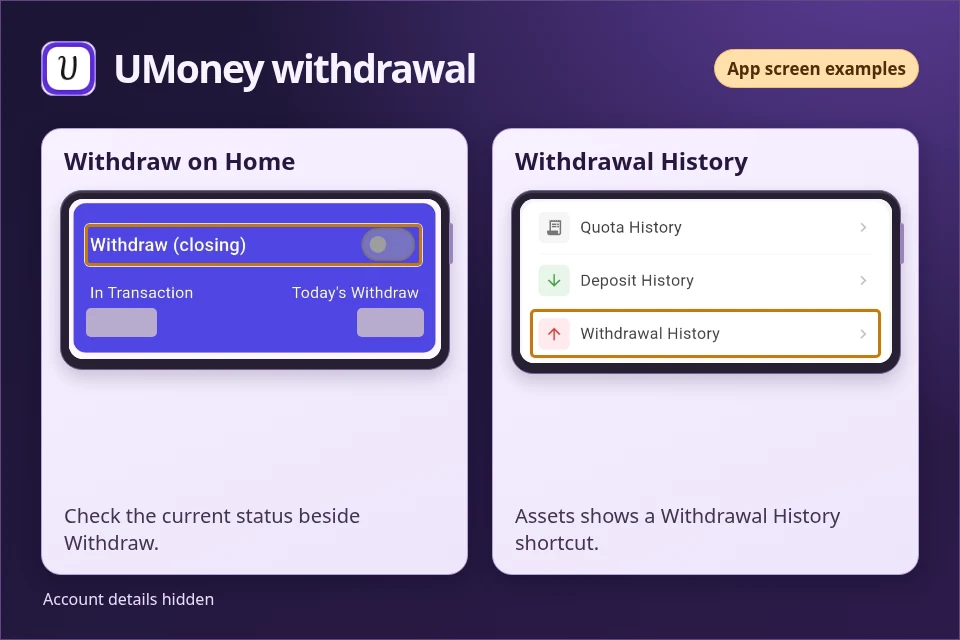
Open Deposit History, Withdrawal History or Quota History in Assets. Match the amount, date and reference with the record you are checking.
The captured Home screen shows Withdraw (closing). Check the control shown on your account and use Withdrawal History to review an existing request.
In one captured ₹10,000 order, the Income field shows ₹300, which is 3% of that example order. The card also shows ₹50 Bonus and a separate Quota figure.
Use your current order and Quota History to check the values that apply to you. Invitation benefits depend on the app’s terms.
Use the method, recipient and total shown for your selected order. The captured INR screen shows a Bank badge on example order cards. Read the instructions for the order you actually selected.
Compare the app quote with the amount due, any fee or minimum shown there, and the final confirmation screen.
Keep your password, one-time codes and Payment PIN private. Compare the order amount and reference with your payment records. Check the app if a message asks you to pay a different recipient.
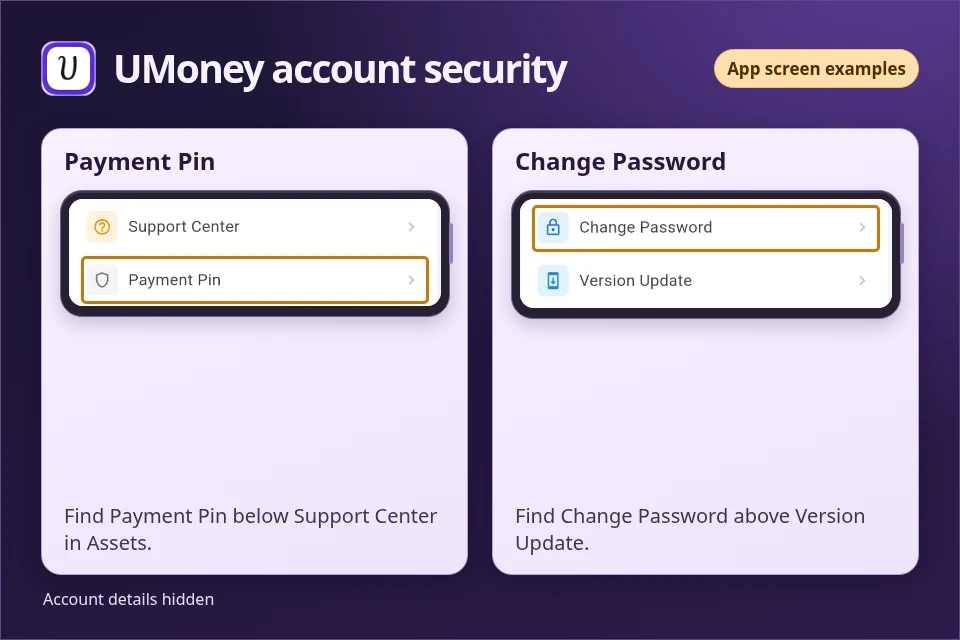
Look for Support Center in Assets. Include the task, date and order reference if support asks. Keep your password, OTP and PIN private.
The guide links the supplied Telegram channel for updates. For account access and payment issues, use the support options shown in the app.
Use the example rate of ₹109 per USDT or enter your own quote. Read the app confirmation screen for the final total.
Estimated INR amount
The supplied invitation uses code wz2hg1w2. Copy it if the registration screen asks for it.
Open the UMoney app or the account-access route you already verified. This guide explains where to look and has no login form.
₹109 per USDT is the editable example from the supplied website. Check the rate and fees on the current app quote.
The supplied Assets screen lists Quota History, Deposit History and Withdrawal History. Match the record to your own payment reference.
Use the Support Center or help option in the verified app and describe the issue with your order reference. Keep OTPs and payment PINs private.
Look for Version Update in Assets. Check the version and instructions shown by the app before downloading an update.
Quota is a separate field from the payment amount, income and bonus. Check the order breakdown and Quota History for the amount shown on your account.
The archived ₹10,000 order shows ₹300 in Income. That example works out to 3%. Read the current order terms before paying.
Compare the amount, time and reference shown in the app with your payment record. Use the in-app Support Center if the two records still differ.
It is the label visible in the supplied Home screenshot. Check the current control and Withdrawal History in your own version of the app.
Keep your PIN, password and any one-time code private. Share the order reference and problem description when requesting help.
It multiplies the amount you enter by the rate you enter. Read the app confirmation screen for fees, limits and the final amount.
The Home screenshot shows TOP UP alongside USDT EXCHANGE. Open the relevant control in your app and check the details shown for your account.
Use the method and recipient details shown for your selected order. The INR screenshot shows a Bank badge on example order cards.